 Roman Klimenko
Using Pandas, Polars, and DuckDB for the same task
 (image source: https://huggingface.co/alvarobartt/ghibli-characters-flux-lora)
As a regular Pandas user, I'm usually happy with its performance. It can handle millions of records in minutes on my humble laptop, and I don't mind waiting. New tools keep appearing, though, and I wanted to try them.
I often use IMDb datasets for tests and demos. For this comparison, I loaded every TSV (tab-separated values) file in a directory and saved it as Parquet with three tools: Pandas, Polars, and DuckDB.
IMDb's TSV files have a few quirks:
- While they are mostly like normal CSV files, the separator is a tab instead of a comma.
- Numeric values such as years appear alongside
\N. We can treat\Nas null or load the columns as strings; I chose strings. - Double quotes appear in column values, so we need to ignore them explicitly.
Pandas
I'll start with Pandas, the best-known of the three. A simple version of the code looks like this:
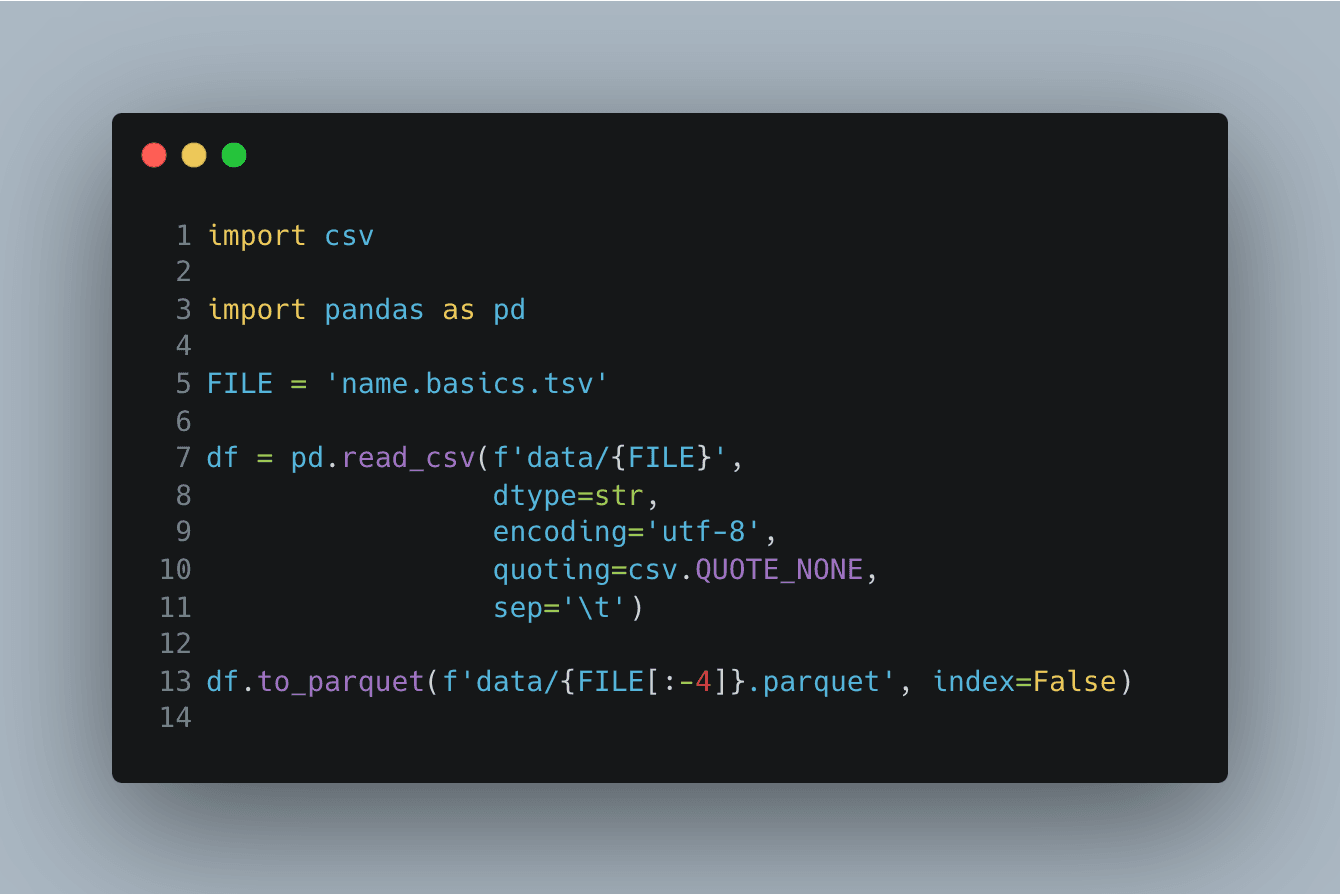
The names.basic.tsv file contains 13,774,705 rows, and the script takes 15 to 20 seconds
on my four-year-old Apple MacBook M1.
Polars
Next, let's look at Polars.
Its API felt intuitive after Pandas, and I had no trouble using it.
The code was a little longer because read_csv had no dtype parameter
for overriding every column type at once, but the difference was minor:
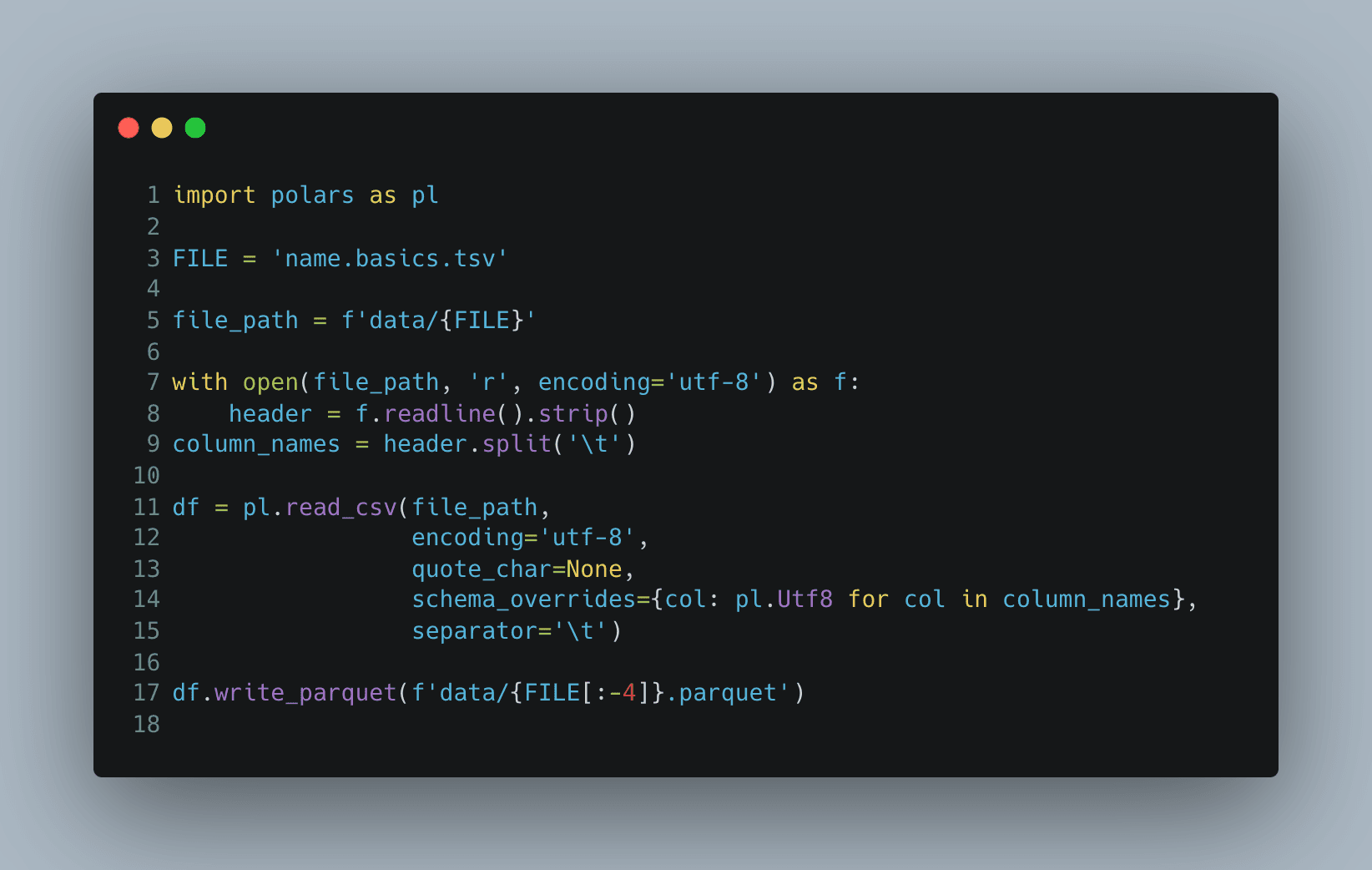
This code runs in 14 to 15 seconds.
DuckDB
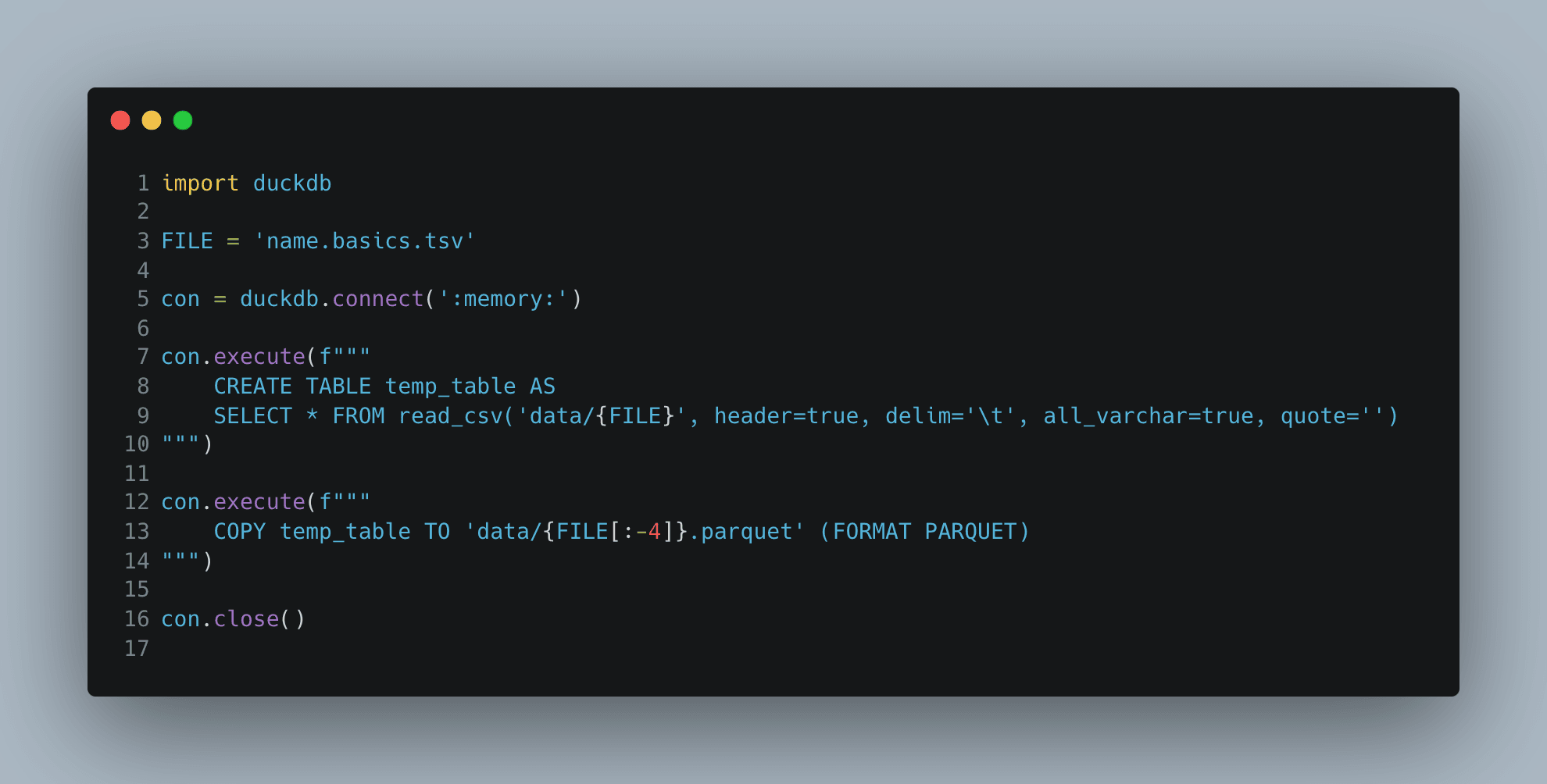
With DuckDB, you can use SQL:
Alternatively, you can use the SDK methods:
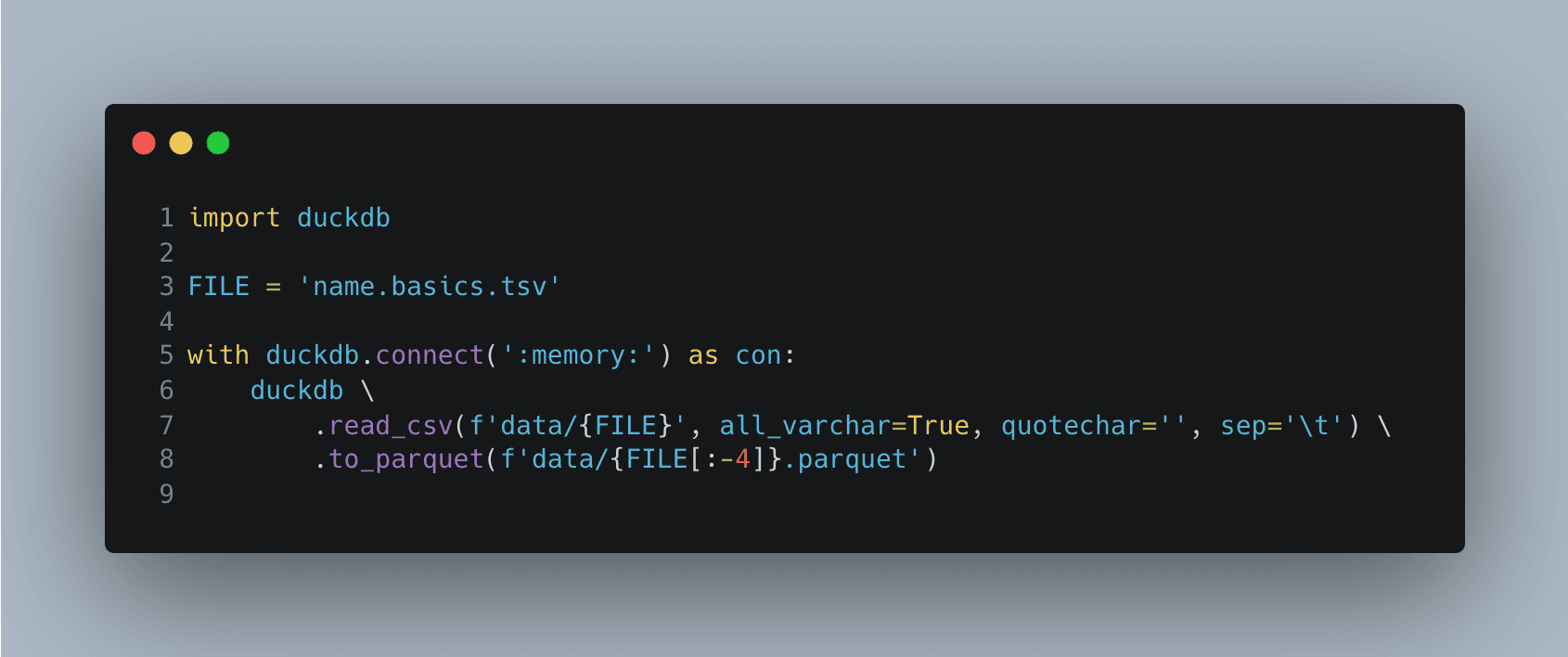
In the last example, the table is not created: duckdb.read_csv
returns a lazy object that is only iterated when we call .to_parquet,
which makes the execution even faster: around six seconds
if we create a table and four seconds if we don't.
The DuckDB API can be surprising. For example, read_csv
has sep and delim parameters for the same thing,
which is confusing when you scroll through the list of the method's parameters,
especially because the Python SDK has no docstrings. Also, when something goes wrong,
you see an output like this:
delimiter = (Set By User)
So you have sep, delim, but it's called delimiter in the error message.
These are minor complaints. The API is rich, and the tool works well.
Loading all IMDb datasets
I then prepared scripts to load every IMDb TSV file in a directory and save it as Parquet. I'm not going to overload this article with code, but you can find the scripts here: https://github.com/romaklimenko/imdb
The performance results were surprising. I expected Polars to do the job faster than Pandas, but it was significantly slower. The average running times for each script are:
- Pandas:
196seconds - Polars:
257seconds - DuckDB:
46seconds
DuckDB is way ahead of the others, but Pandas and Polars win and lose in different categories.
For example, title.principals.tsv has 87,769,634 rows:
- Pandas: 49 seconds to load the TSV and 32 seconds to write it as Parquet.
- Polars: 140 seconds to load the TSV and 10 seconds to write it as Parquet.
But take title.basics.tsv, which has 11,054,773 rows:
- Pandas: 14 seconds to load the TSV and 6 seconds to write it as Parquet.
- Polars: 6 seconds to load the TSV and 4 seconds to write it as Parquet.
Conclusion
One scenario is not enough for a definitive benchmark. Other tests show Polars outperforming Pandas, but the difference was inconsistent across my datasets.
Pandas and Polars have similar APIs, so moving between them is fairly easy.
DuckDB performed impressively and handled work that might otherwise require a database server. Its API still has some rough edges, but the features make up for them.
I'll keep trying all three in my daily work.