 Roman Klimenko
Vis Azure-ressourceplaceringer
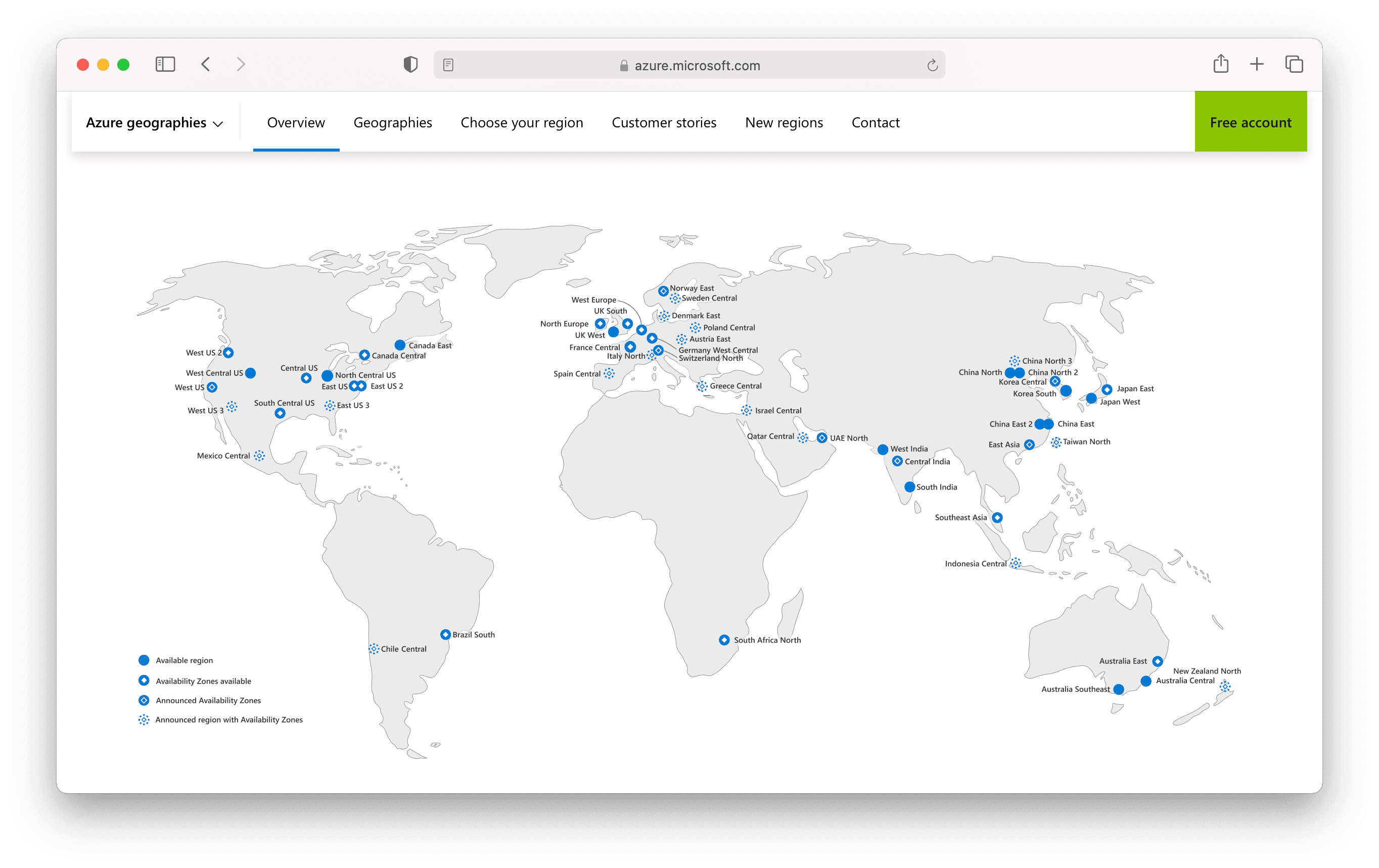
azure.microsoft.com/en-us/global-infrastructure/geographies/
Du kan oprette en ny resource group med Azure CLI sådan:
az group create --location westus -name MyResourceGroup
Hvis du vil oprette den i Europa eller Asien, skal du vide, hvilket placeringsnavn du skal bruge i stedet for westus.
Vis alle tilgængelige placeringer med:
az account list-locations
Du får et langt output som dette:
[
  // ...
  {
    "displayName": "Brazil Southeast",
    "id": "/subscriptions/.../locations/brazilsoutheast",
    "metadata": {
      "geographyGroup": "South America",
      "latitude": "-22.90278",
      "longitude": "-43.2075",
      "pairedRegion": [
        {
          "id": "/subscriptions/.../locations/brazilsouth",
          "name": "brazilsouth",
          "subscriptionId": null
        }
      ],
      "physicalLocation": "Rio",
      "regionCategory": "Other",
      "regionType": "Physical"
    },
    "name": "brazilsoutheast",
    "regionalDisplayName": "(South America) Brazil Southeast",
    "subscriptionId": null
  }
]
Dette output er svært at overskue. Hvis du kun skal bruge værdien af name for hver placering, kan du bruge --query-parameteren:
az account list-locations --query "[*].name"
Nu er outputtet meget nemmere at læse:
[
  "eastus",
  "eastus2",
  "southcentralus",
  "westus2",
  "australiaeast",
  // ...
  "norwaywest",
  "switzerlandwest",
  "ukwest",
  "uaecentral",
  "brazilsoutheast"
]
Du kan også sortere listen alfabetisk:
az account list-locations --query "[*].name" --out tsv | sort
Output:
asia
asiapacific
australia
australiacentral
australiacentral2
australiaeast
australiasoutheast
brazil
brazilsouth
brazilsoutheast
canada
canadacentral
canadaeast
centralindia
centralus
centraluseuap
centralusstage
eastasia
eastasiastage
eastus
eastus2
eastus2euap
eastus2stage
eastusstage
europe
francecentral
francesouth
germanynorth
germanywestcentral
global
india
japan
japaneast
japanwest
jioindiawest
koreacentral
koreasouth
northcentralus
northcentralusstage
northeurope
norwayeast
norwaywest
southafricanorth
southafricawest
southcentralus
southcentralusstage
southeastasia
southeastasiastage
southindia
switzerlandnorth
switzerlandwest
uaecentral
uaenorth
uk
uksouth
ukwest
unitedstates
westcentralus
westeurope
westindia
westus
westus2
westus2stage
westus3
westusstage
I PowerShell kan du filtrere outputtet sådan:
az account list-locations --query "[*].name" `
    | ConvertFrom-Json `
    | sort `
    | where { $_ -like "*europe*" }
Output:
europe
northeurope
westeurope